User manual
Individual user manual
Step-by-step guide for individual analysts: registration, reading forecasts, regimes, scenarios, validation, alerts and Research AI.
Step 1
Getting started
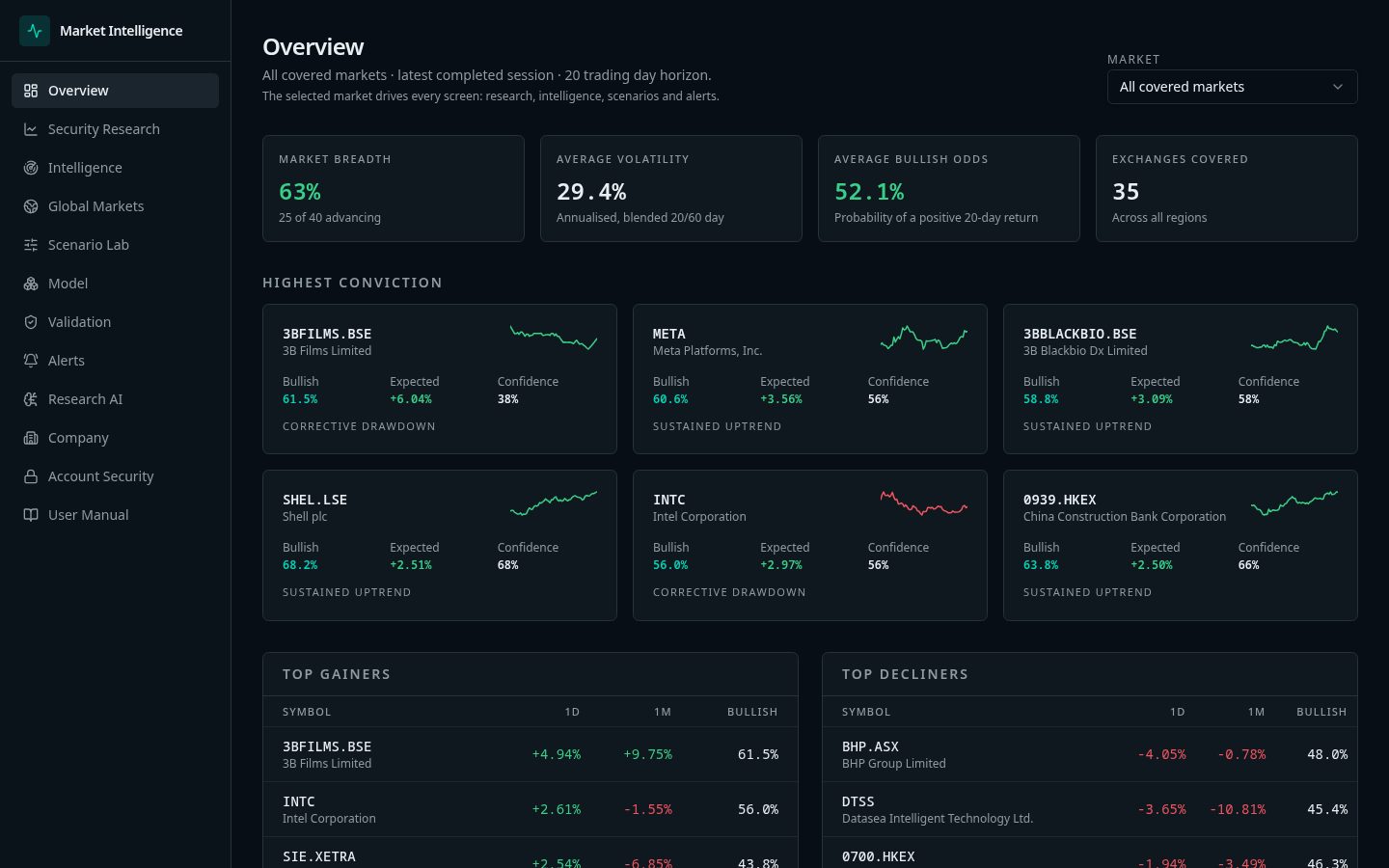
Create an account, confirm your email and open the terminal. Every account starts on Free; upgrade to Starter or Pro from Workspace at any time.
- 01Choose Request access and register with your email, accepting the Terms and Disclaimer.
- 02Confirm the email we send, then sign in.
- 03Open the terminal from the header to reach the Overview board.
Step 2
Finding a security
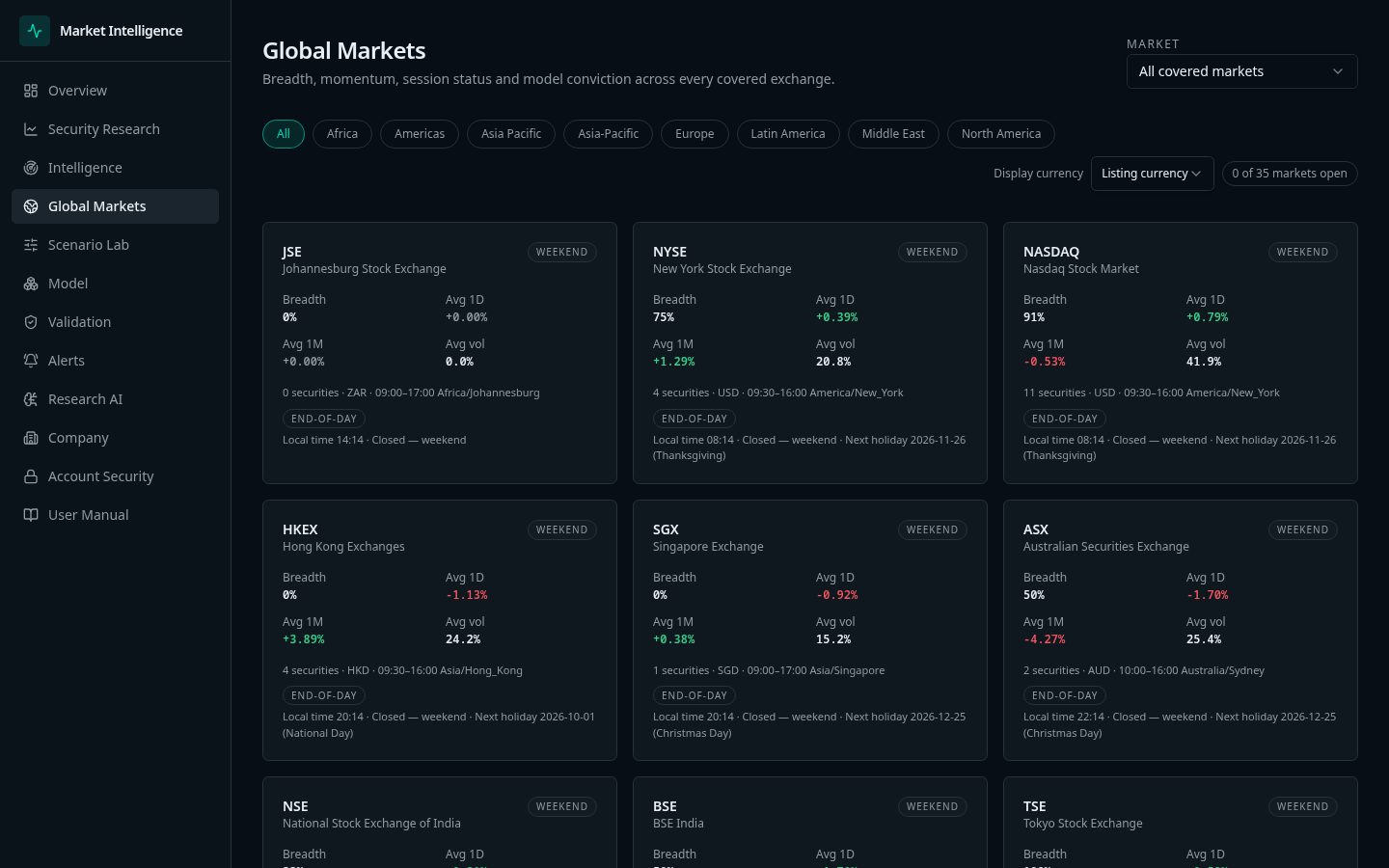
Browse markets by exchange or search by ticker or company name.
- 01Use the symbol search in the header, e.g. type AAPL or RELIANCE.NS.
- 02Or open Markets, pick an exchange and sort the listing.
- 03Click a row to open it in Security Research.
Step 3
Reading a forecast
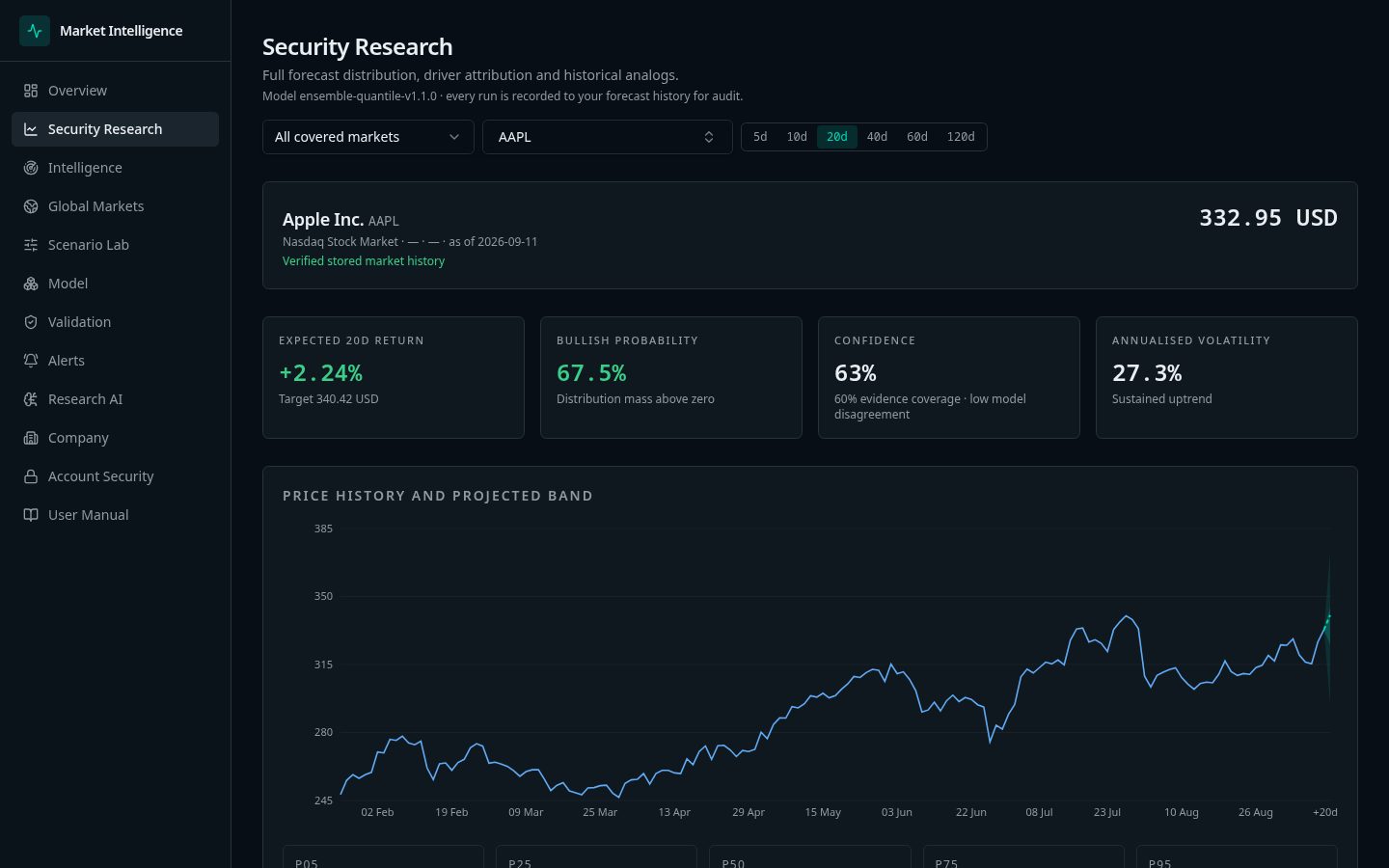
Every forecast is a distribution of plausible outcomes, not a single price target. Opening a new security uses one forecast run from your monthly allowance; re-opening the same security on the same day is free on any horizon.
- 01Open Security Research and pick a symbol and horizon (5–120 trading days).
- 02Median (p50): the middle outcome — half of simulated paths end above, half below.
- 03Shaded band (p05–p95): 90% of plausible outcomes fall inside. A wide band means high uncertainty.
- 04Inner band (p25–p75): the most likely half of outcomes.
- 05Direction probability: the chance the price ends above today's close at the horizon.
- 06Confidence: how complete and consistent the inputs are. Low confidence = give the forecast less weight.
- 07Catalyst jump risk: likelihood of a sharp move from earnings or news inside the horizon.
- 08Drivers: the ranked factors pushing the forecast up or down.
Step 4
Using the values — worked example
How to turn forecast numbers into a practical research view. Figures are illustrative.
- 01Compare the median with today's price to see the expected drift.
- 02Use p05 as a stress-case level and p95 as an optimistic level when sizing risk.
- 03Treat direction probability near 50% as 'no clear edge', regardless of the median.
- 04Only rely on a horizon whose Validation hit rate is comfortably above 50%.
Example
AAPL, 20-day horizon, last close 342.00 USD
| Value | Result | How to use it |
|---|---|---|
| Median (p50) | 349.50 USD | Expected drift of about +2.2% over 20 trading days. |
| p05 – p95 | 318.00 – 381.00 USD | 90% range: roughly −7% to +11%. Downside to the stress level is about 24 USD per share. |
| p25 – p75 | 336.00 – 362.00 USD | The most likely half of outcomes sits between −1.8% and +5.8%. |
| Direction probability | 61% up | A moderate upward lean — about 6 in 10 paths finish above 342.00 USD. |
| Confidence | High | Inputs are complete and consistent; the forecast deserves normal weight. |
| Catalyst jump risk | Elevated (earnings in window) | Expect a possible gap; outcomes near p05 or p95 are more likely than usual. |
Reading: mild positive lean with meaningful two-sided risk around earnings. A risk-aware user might plan around the p05 level (318.00 USD) as a stress case rather than the median as a target. Informational only — not investment advice.
Step 5
Regimes and intelligence
Context explains why a forecast looks the way it does.
- 01Open Intelligence to see regime, volatility state and drawdown context.
- 02Compare the security against its sector peers.
- 03Use historical analogs and event studies to see what followed similar conditions.
Step 6
Scenarios and validation
Stress the forecast and check the track record.
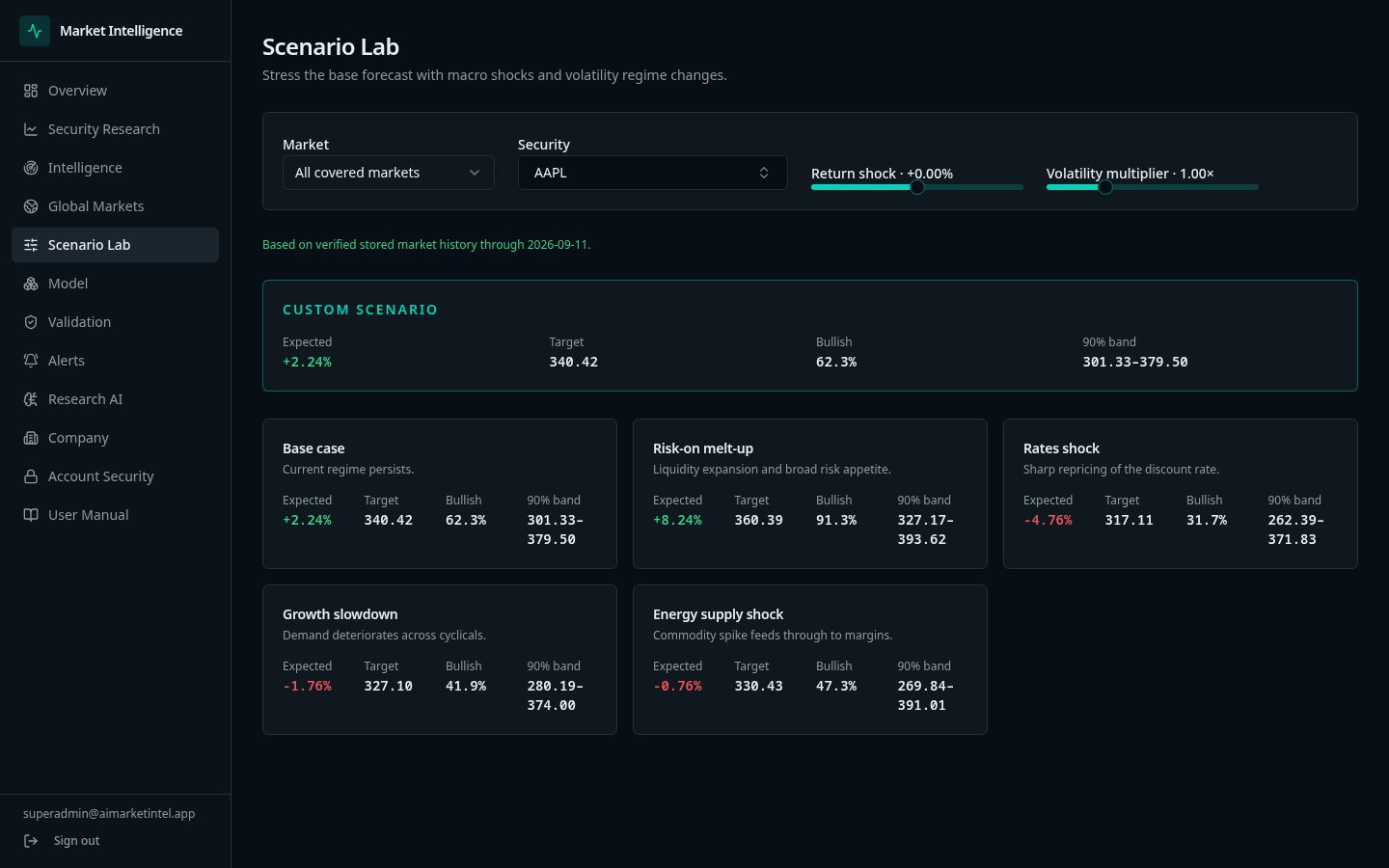
- 01In Scenario Lab, apply a return shock (e.g. −10%) and a volatility multiplier (e.g. 1.5×).
- 02Compare the custom p05–p95 range with the preset regimes to see how far the downside widens.
- 03Open Validation to review walk-forward hit rate and error before relying on a horizon.
Example
Scenario: AAPL with −10% shock and 1.5× volatility
| Value | Result | How to use it |
|---|---|---|
| Base p05 | 318.00 USD | Stress level under normal conditions. |
| Shocked p05 | 281.00 USD | Stress level if a sharp sell-off coincides with higher volatility. |
| Shocked median | 314.50 USD | Middle outcome under the shock scenario. |
Use the gap between base and shocked p05 (37 USD per share) to judge how sensitive the position is to a market shock.
Step 7
Allowances and limits
Each plan has monthly allowances that reset on the 1st at 00:00 UTC.
- 01Forecast runs: Free 50, Starter 250, Pro 1,000 per month.
- 02When the allowance is reached, research screens show an 'allowance reached' card with your usage and reset date.
- 03Securities already opened today stay available. Upgrade from Workspace for more runs.
Step 8
Watchlists, alerts and Research AI
Keep monitoring going after the research session.
- 01Star securities to add them to your watchlist.
- 02Create alert rules on price or bullish probability thresholds.
- 03Ask Research AI questions; answers are grounded in the selected security's numbers.